


We all like to listen to music during the break and relax ourselves in pleasant songs. If you are intoxicated with moving melodies, and suddenly a notification pops up on your phone, it will destroy your entire mood. There are a lot of applications installed on our phones now, so these notifications often appear when we are bored. To prevent being interrupted by these notifications, how to disable notifications while listening to music on Android?
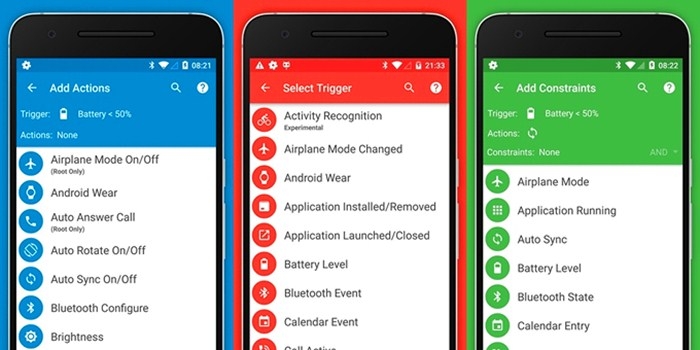
The more straightforward method is to enable silent mode or DND mode to stop all these application notifications. In fact, there is a way to automatically disable notifications on Android while listening to music to make this operation look more automated. This method is completed by using the MacroDroid application. This application is very new to many people, MacroDroid is an Android automation application that can be used to automate daily tasks on Android. In this article, we will share an effective way to disable notifications when listening to music on Android automatically.
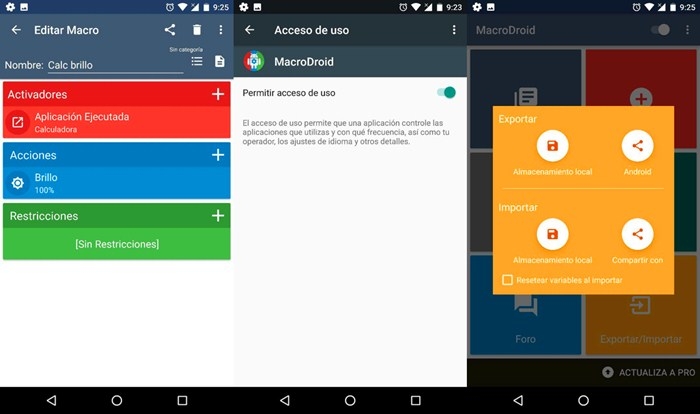
The benefit of using MacroDroid is that you don't need to root your Android device. So let's take a look at how to automatically disable notifications while listening to music on your Android smartphone. First, you need to download and install the MacroDroid application on your Android phone. After installation, launch the application and grant permissions, click on the "Add Macro" option. You need to scroll down and click on the "device event" option. Find the "Music/Sound Play" option in the device event, click Open and select "Start", then go to the "Actions" tab, then select "Volume", under the "Volume" tab, select "Priority Mode/Do Disturb "option and grant the required permissions. Finally, in the next pop-up window, select "Allow Priority Notification."
After all the operations are completed, you can automatically disable notifications while listening to music on Android. To disable DND via MacroDroid, revert the changes you made in the application. How to disable Android notifications while playing music has been introduced, I hope this article was helpful to you.


Comment
Name*
Email*
Your email address will not be published. Required fields are marked *